
Enjoy Salt TV on your Apple TV
Get an Apple TV 4K and a Salt TV remote 2.0 for your TV experience at CHF 0.- (instead of CHF 149.95).
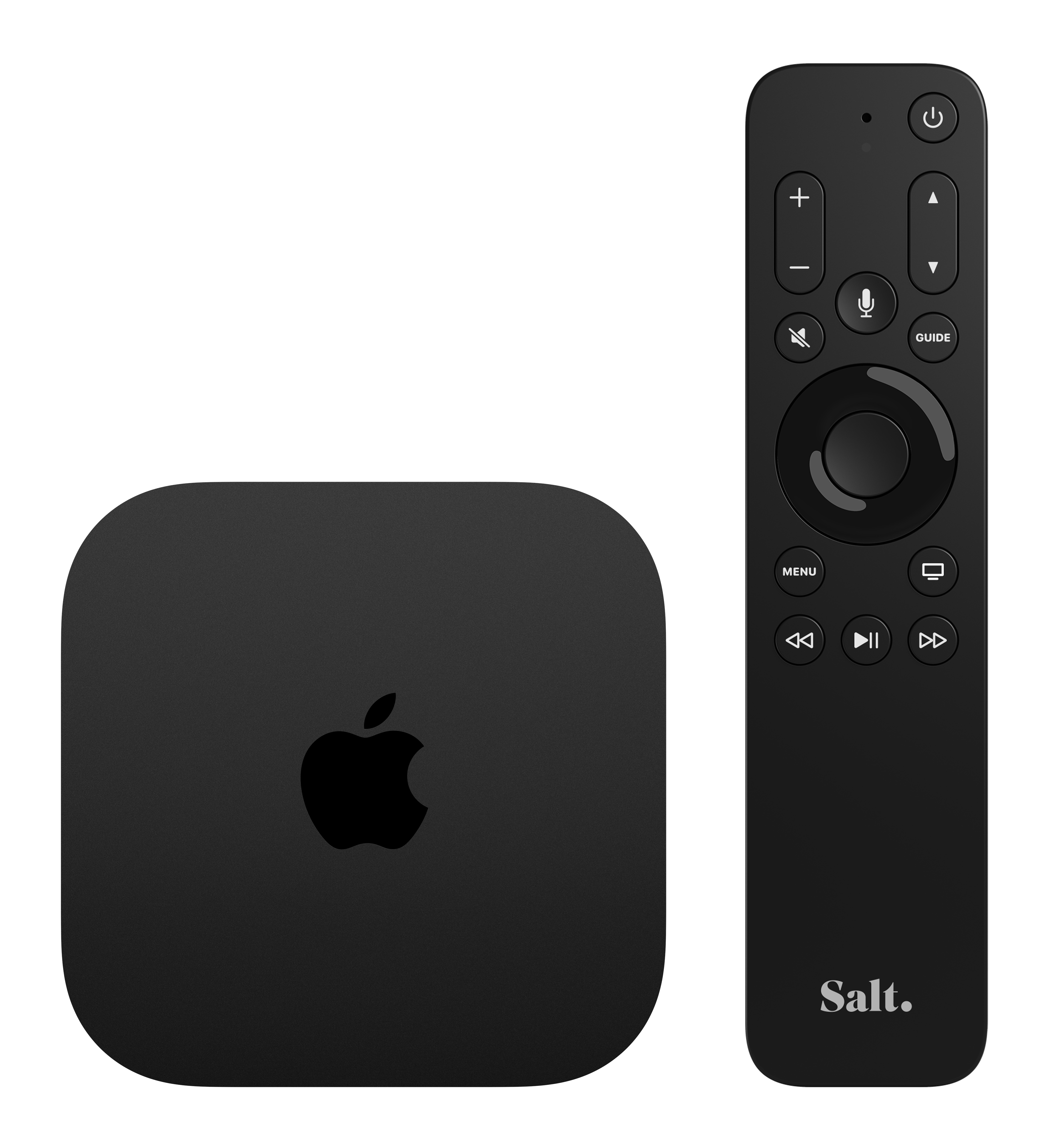

Huge choice of movies & shows
Enjoy amazing 4K HDR movies & shows on your Apple TV. With the new HDR standard, you will get a crisper picture, using four times more pixels than the previous standard HD.

All of your favourite apps
Download your everyday apps such as Apple TV+, Netflix, Disney+, Sky, DAZN, Amazon Prime Video, MyCanal, MUBI and enjoy their amazing content on all of your devices.

The Salt TV remote 2.0: State of the art technology and user-friendly
✔ Infrared assisted pairing with any TV set
✔Smooth connection with Bluetooth technology
✔ Microphone for voice control
✔ Dynamic backlighting
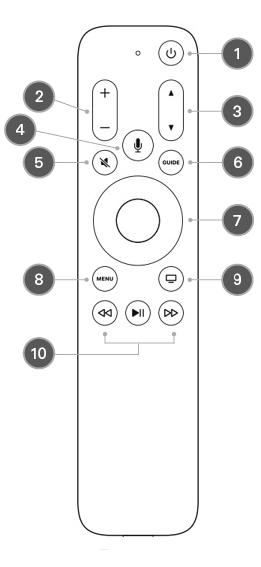
1 - Standby / Switch on. Press and hold this button to put the device into standby mode.
A long press on this button (more than two seconds) allows you to switch off the Apple TV only (unless the CEC function is activated; in this case, your television will be turned off as well).
2 - Volume.
3 - Channel/page.
4 - Siri. Press and hold to speak.
5 - Mute the sound.
6 - Guide.
7 - Navigation.
up/down/left/right
Press the middle button to make your selection.
8 - Menu.
Press this button to return to the previous menu.
Press and hold to return to the home screen.
9 - TV/Home.
Press this button to return to the TV/Home screen.
Press and hold to access the Control Center.
10 - Playback control.
Rewind, play, pause and fast forward.


Frequently Asked Questions
Fast forward and rewind with the Salt remote 2.0
- In LIVE TV :
- Press the button Play/Pause.
- Make a long press on the << button to start rewinding (you can then stop pressing).
- Press the Play/Pause button twice to return to playback mode.
- If you then want to fast forward, press and hold the >> button.
- In REPLAY / RECORDINGS / VOD :
- Click left and right on the central navigation button to jump 10 seconds backwards or forward.
- Click on the << / >> buttons to start rewinding / fast-forwarding (click up to 3 additional times to increase the speed) and then click on the button Play/Pause button to resume normal speed.
- Keep the << / >> buttons pressed for as long as you want to rewind / fast forward.
How to close an app on the Apple TV?
- Double-click (quickly) on the TV button to display all opened apps.
- Navigate left on the central navigation button to select the app you want to close.
- Once selected, double-click twice upwards on the central navigation button to close the app.
How to register Salt as your TV Provider on the Apple TV?
- Go to the Apple TV Settings.
- Select Users and Accounts > TV Provider > Sign In.
- Choose Salt in the list (if not in the list, select ‘Other TV Provider Regions…).
- Enter your Salt.tv credentials.

MySalt Account


Salt Stores

Phone Sales Support